Plitsoft / Shopmaster
An operations platform for the daily life of a store
Supports daily operations from ordering and payments to waiting, reviews, and store management.
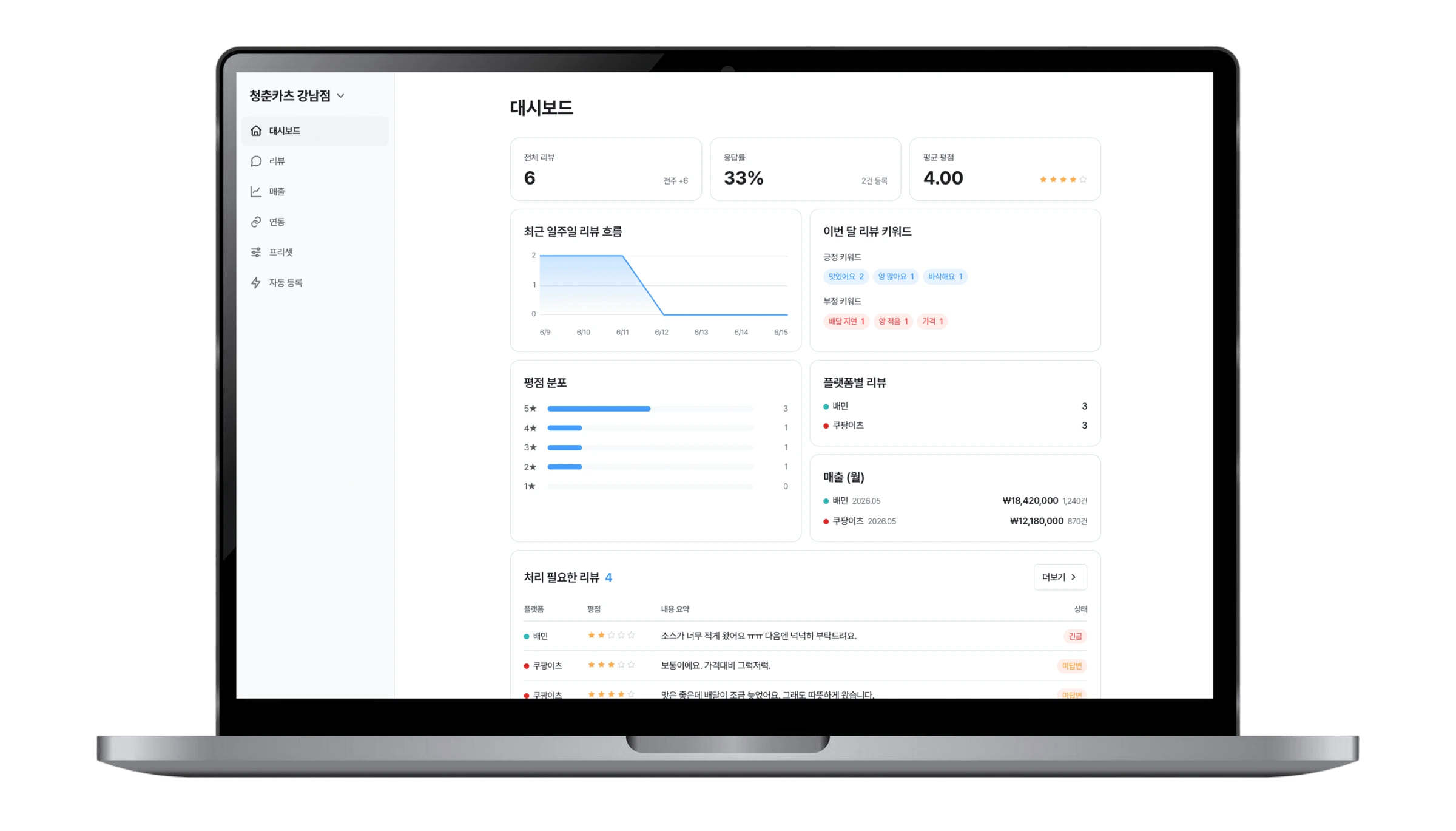
The service in context
Shopmaster connects a store’s day from orders and payments to waiting, reviews, sales, inventory, and remote management. POS, kiosks, table QR orders, and operations tools are brought into one flow so a new or operating store can start with the functions that fit its current environment.
How people use it
Welcome guests
Register waiting guests by QR and guide them with notifications, reducing the need to manage the queue separately from the visit. The flow begins before an order and continues through table and customer arrival information.
Take orders and payments
Use staff POS, kiosk, or table QR ordering according to the store’s operation. Each channel supports the ordering flow from menu selection and options to quantities, dine-in or take-away handling, and payment.
Manage after the visit
Review AI replies, reviews, sales, inventory, and remote-management status after service. Review work and store status stay connected to the same daily operating picture rather than becoming a separate closing task.
Capabilities and implementation scope
Order-channel setup
Staff POS, self-service kiosks, and table QR ordering are provided together. Stores can select a mix that fits counter service, self-service, and table ordering without treating each as a separate customer journey.
Waiting and reviews
QR registration and notification guide waiting guests through arrival. Review management includes ratings and keywords, while AI reply assistance supports preparing a response after a visit.
Operations management
A flow for reviewing sales, inventory, and remote-management information is provided. It gives operators a way to check the store after orders are complete and to keep day-to-day management in view.
The next trajectory begins with your business.
Is there a problem still waiting to be solved?
Define your next project together.
A few questions help frame where your project begins.
- 1Objective
- 2Current state
- 3Collaboration
- 4Contact
Whether you have specific requirements or an idea you want to explore, talk with PLITSOFT about what comes next.